From Guided Setup to
Self-Serve Access
The platform helps users manage and analyze property energy data. Previously, onboarding happened entirely outside the product — a sales team walked each user through setup before handing over access.
With the shift to a freemium model, users could now sign up and begin independently. But the product wasn't ready to receive them—new users arrived at an empty dashboard, with no indication of how to get started or unlock value.
Users arrived to
an empty room
- 01Users landed in an empty dashboard with no content and no clear starting point.
- 02There was no guided next step — the UI offered features but no direction.
- 03Core product value required a property to be created first — a prerequisite users didn't know about.
- 04High risk of early drop-off before users ever reached a meaningful moment in the product.
No property = no product value.
Design for
the first moment of value
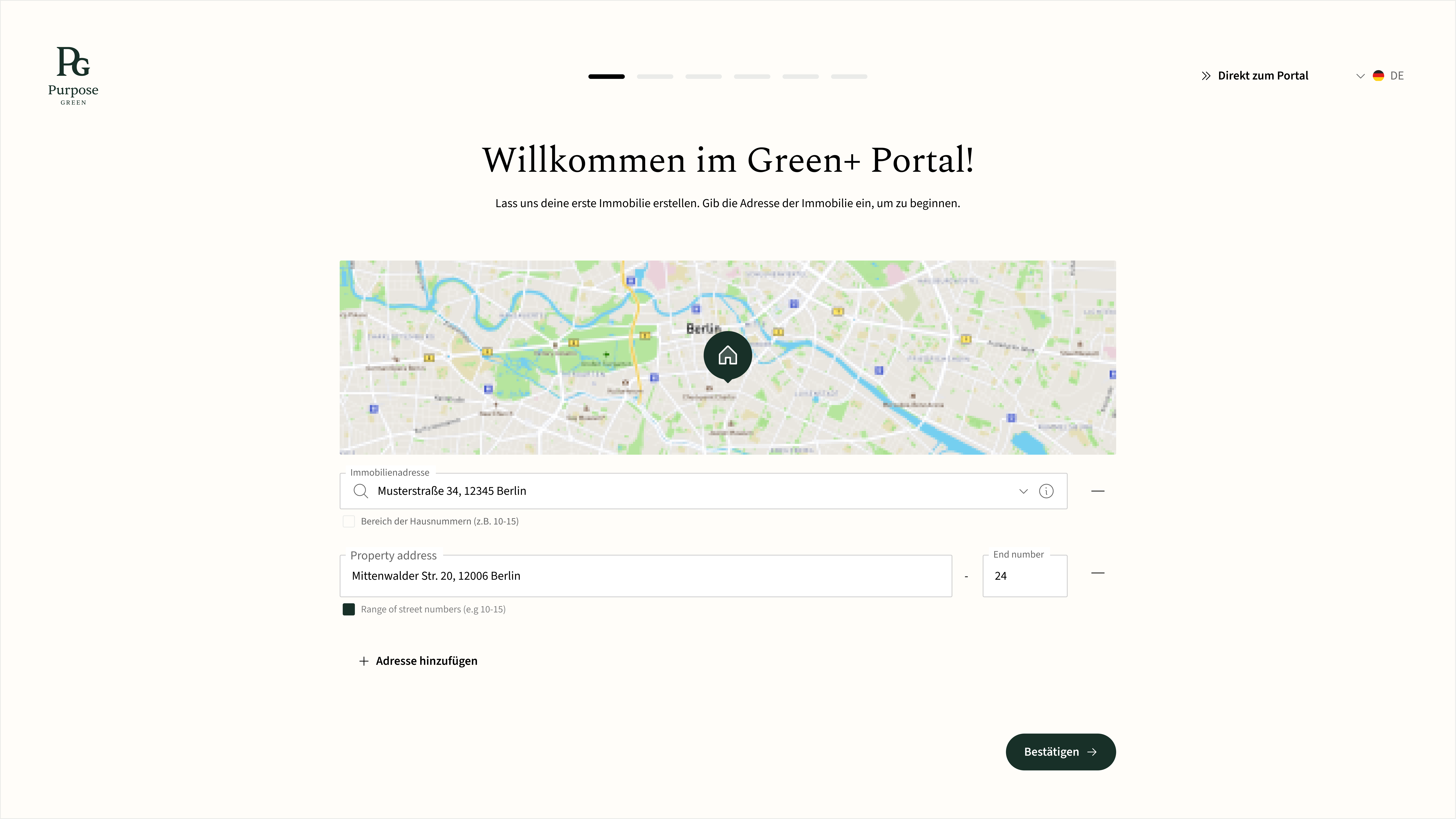
- Guide users to their first meaningful outcome — creating a property.
- Reduce confusion and drop-off immediately after signup.
- Support incomplete data scenarios without blocking progress.
- Keep flexibility — different users arrive with different contexts.
Onboarding shouldn't explain the product — it should drive users to create their first property, where value begins.
Five decisions
that shaped the flow
Replace explanation with action
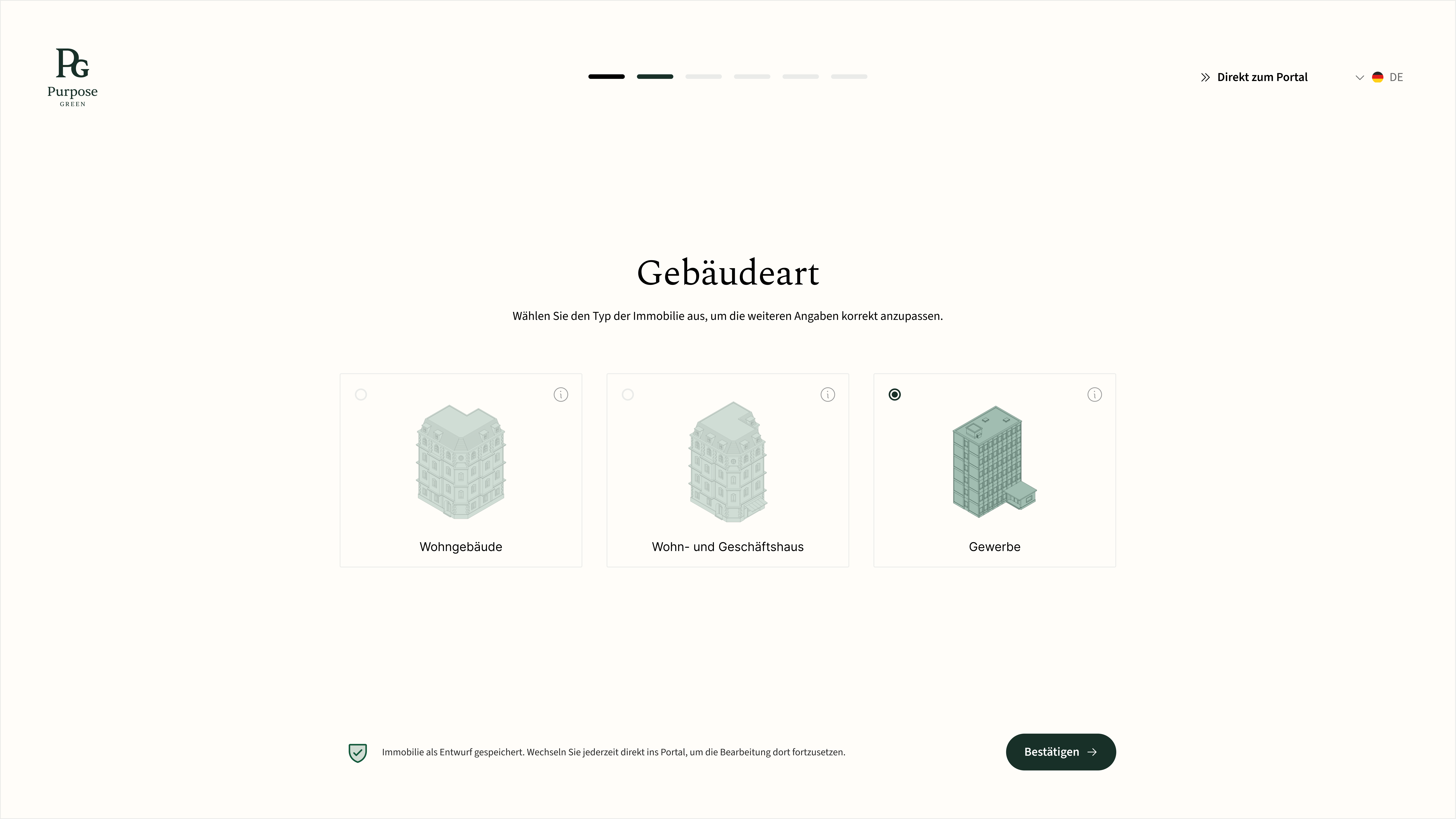
Replaced passive onboarding tours and tooltips with a goal-oriented property creation flow. Instead of explaining what the product does, users immediately do the thing that reveals it.

Reduce to only what's essential
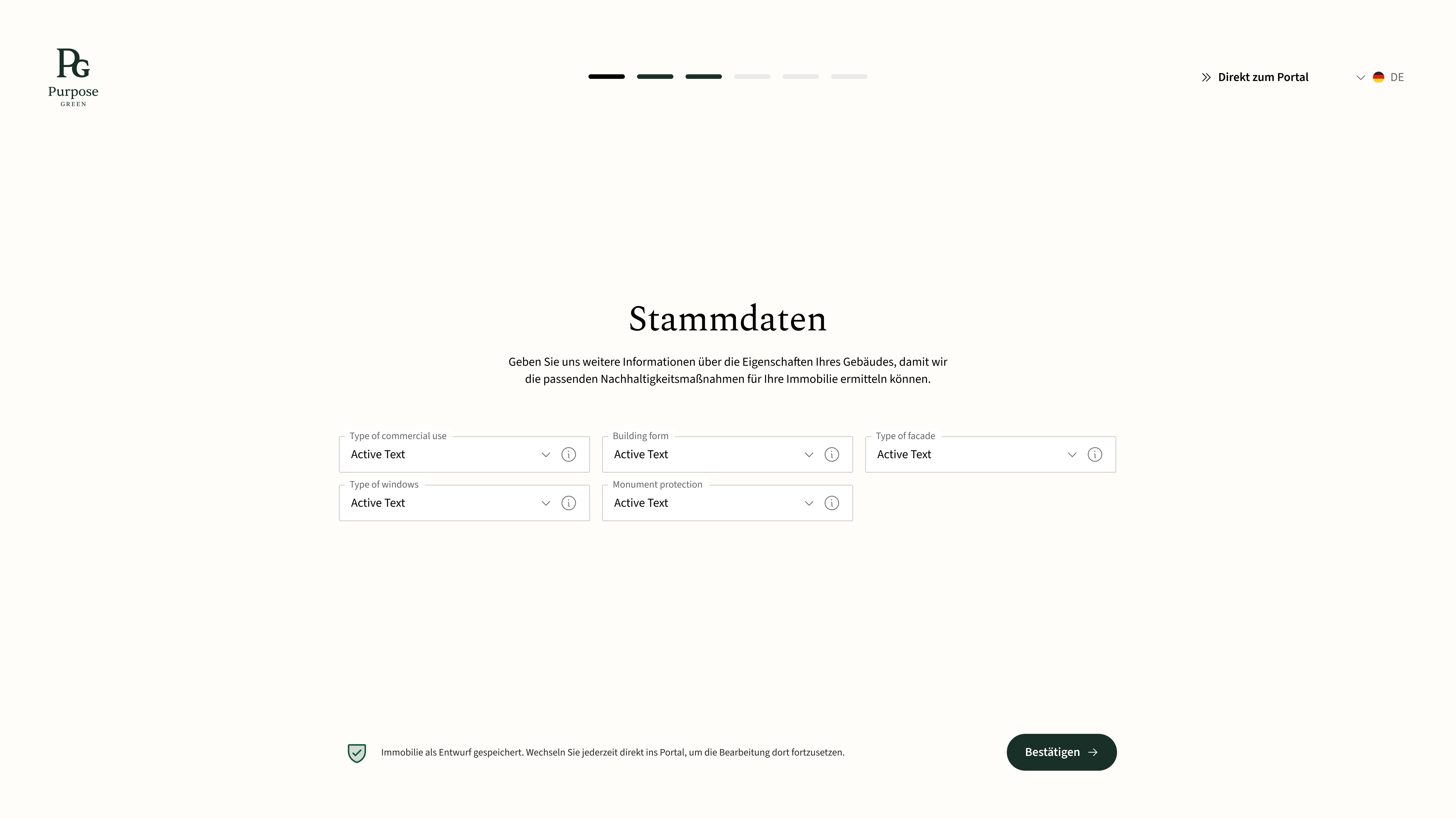
The original property creation form was long, complex, and required data users often didn't have. I reduced the flow to only the fields needed to generate the first energy insight — everything else can come later.
Designing for flexibility and real user constraints
Users don't always have complete data — or the same needs. Some are new and need guidance. Others are returning or already familiar with the system. Forcing everyone through a rigid flow would create unnecessary friction and drop-offs.
To address this, I designed onboarding to be flexible and non-blocking:
- Users can continue at their own pace with a persistent "Continue later" option
- Incomplete inputs are saved as a draft property, ensuring no data is lost
- The system clearly communicates progress and status throughout
- A skip option allows users to access the portal directly at any time

Extend the flow into the dashboard
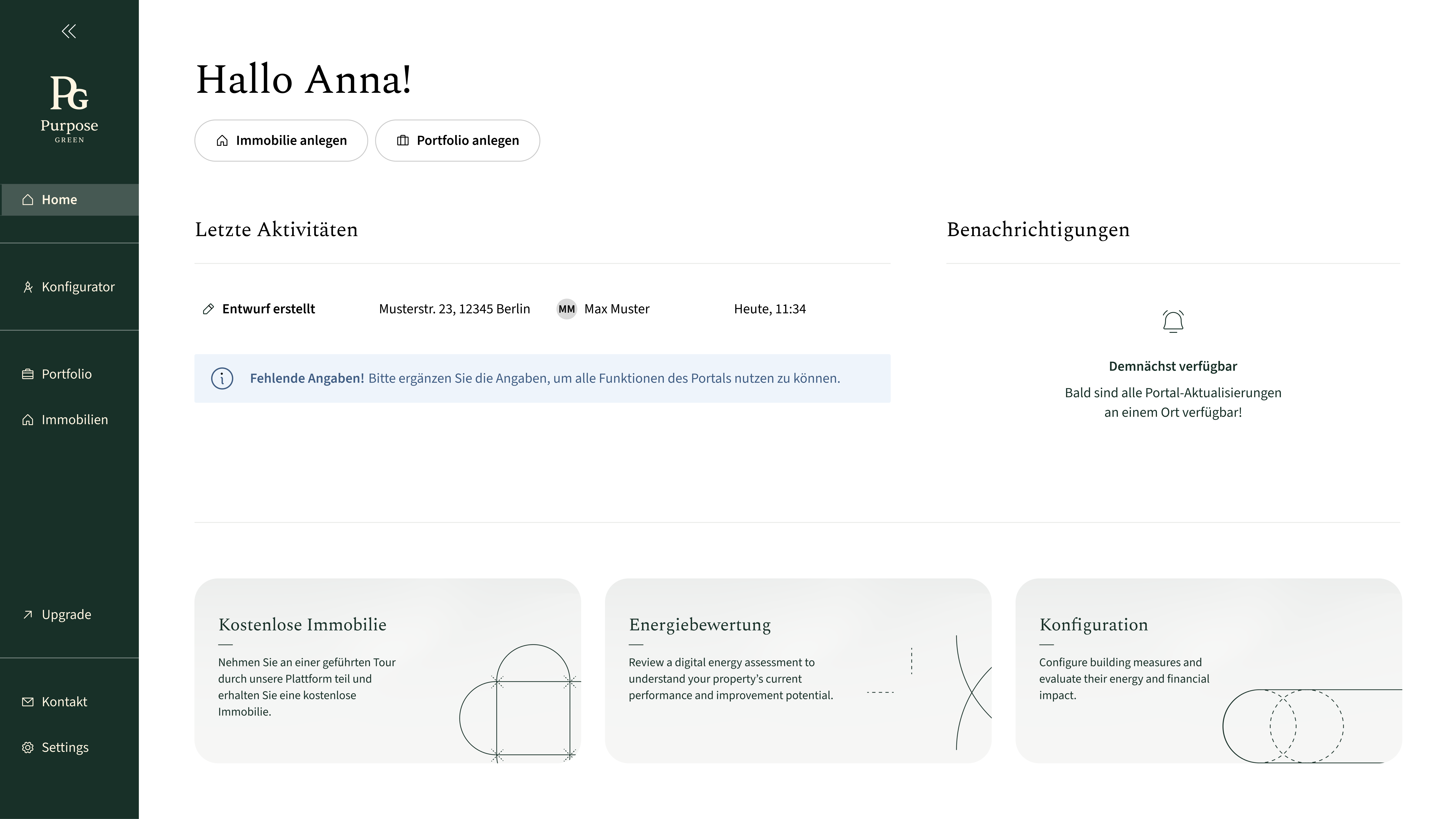
Onboarding shouldn't end the moment a user enters the portal. I redesigned the homepage to reflect onboarding progress — making the property status the primary focus, surfacing drafts, and guiding users toward their next step.


From Guided Setup to
Self-Serve Access
This shift transformed onboarding from a high-touch, sales-dependent process into a scalable, product-led experience that users can complete independently.
- Reduced empty-state confusion and disorientation for new users
- Shortened time-to-first-value by surfacing property creation immediately
- Enabled self-serve adoption within a freemium model
- Created a scalable onboarding system that no longer depends on manual support